BACK

About The Project
This project involved designing a responsive web application as part of a comprehensive CAFM (Computer-Aided Facility Management) solution. The primary goal was to seamlessly integrate the application with our platform's asset management, dashboarding, and reporting solutions. Additionally, the solution aimed to offer a user-friendly experience for raising service requests, creating work orders, and obtaining quick resolutions. In this section, I delve into the client's need for the solution, the thought process behind the design, my learnings and impact as a designer, and the entire design process I followed to meet the client's requirements. This challenging and engaging project not only tested my skills but also provided significant insights into creating cohesive and intuitive user experiences in a complex digital environment.
Target Audience
30-50 Years old
Duration
3 weeks
My Role
Research
Wireframe
User Flow
Design System
Visual Design
Prototype
Tools
Figma
Figjam
Excalidraw
Problem
⚠️
Fragmented Service Request Management: The client's current system for handling service requests and work orders was disjointed and inefficient, resulting in delays and miscommunications. The poor user experience intensified these issues, causing unnecessary delays in task completion.
Lack of Responsive Design: The previous solution lacked responsive design, causing usability issues on various devices and screens.
Complex User Requirements: The client's building management objectives demanded a solution capable of handling a variety of complex tasks while remaining user-friendly, as the platform's users came from diverse levels of technical expertise.
Major Impact
👩🏻💻
Key Learnings
💪🏼
Solution



Design Process
User flow
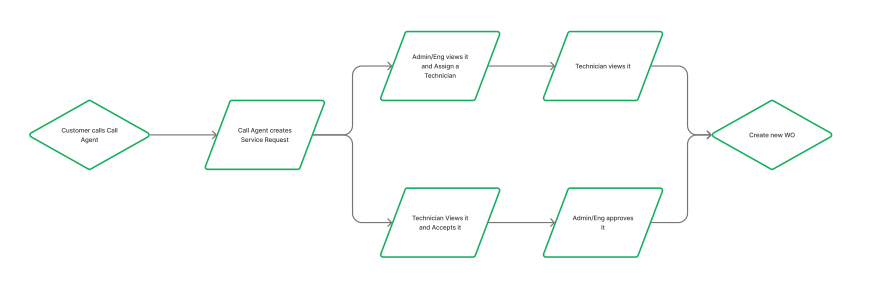
After discussions with the product manager and a thorough understanding of the client's requirements, I deconstructed the CAFM Module into distinct workflows to ensure clarity. The provided user flow specifically addresses the process of raising service requests, offering insights into potential flows and identifying the various user roles interacting with this workflow. This approach guided the design strategy, allowing me to tailor the module to meet the diverse needs of different users seamlessly.
Wireframes
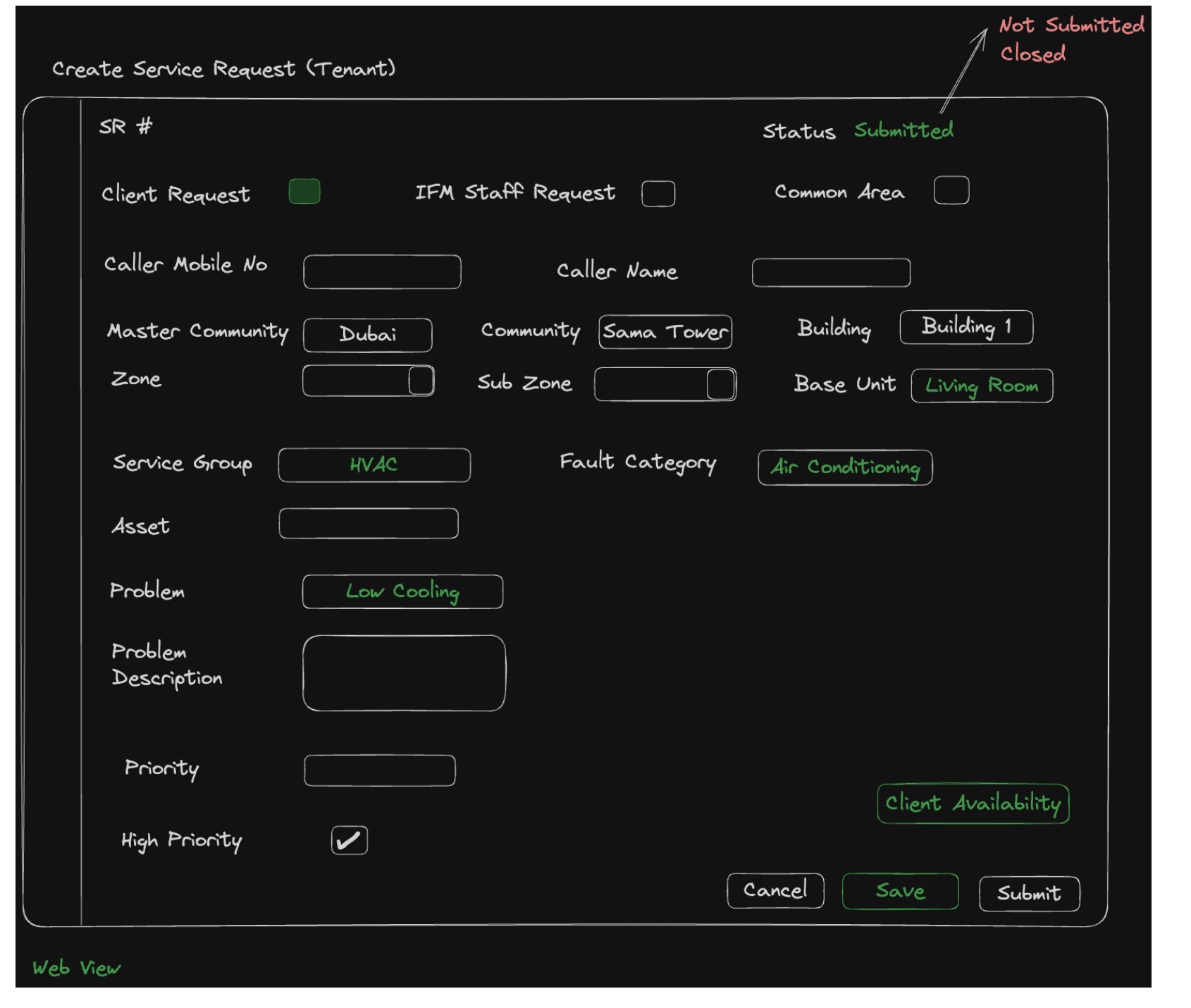
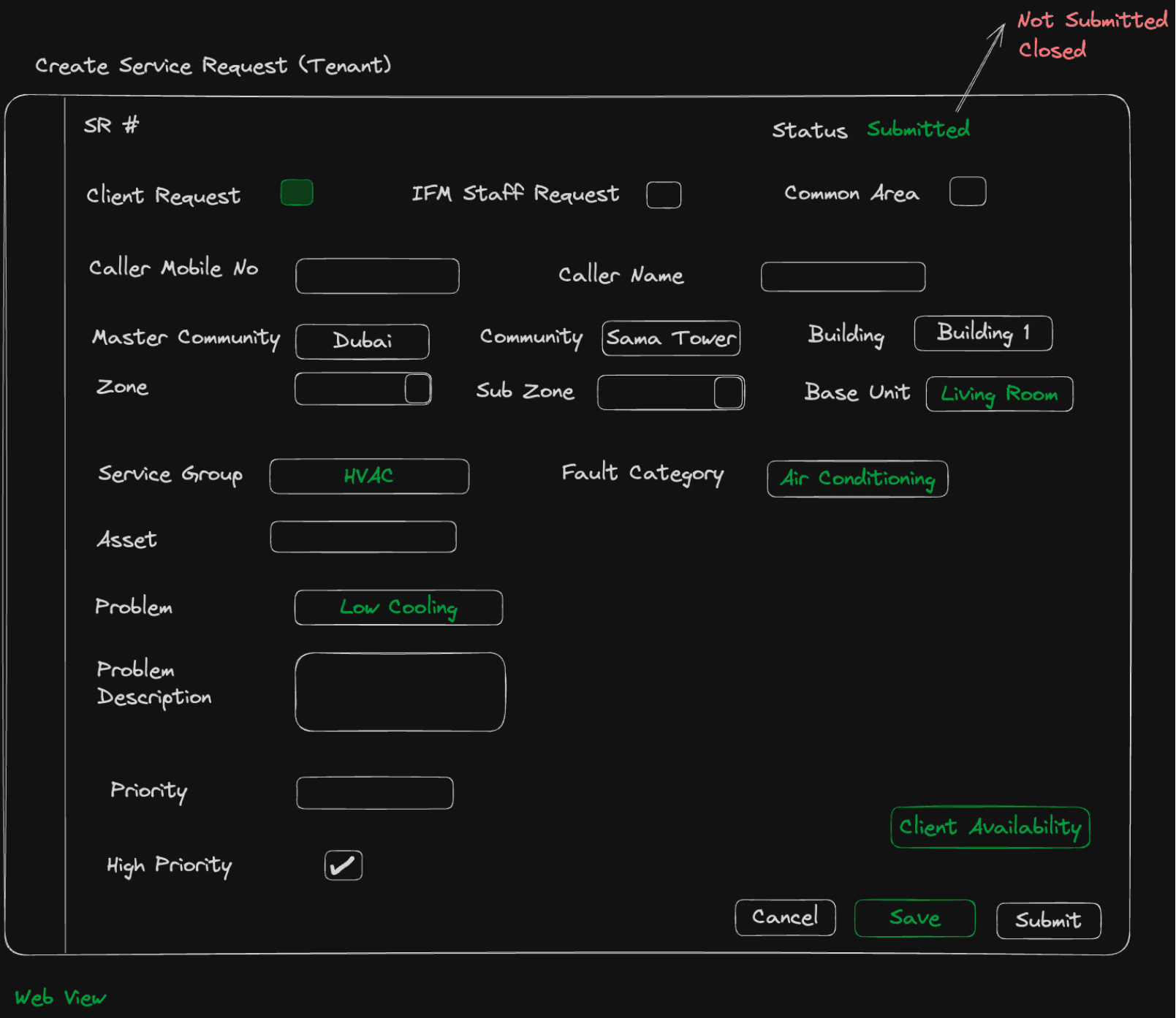
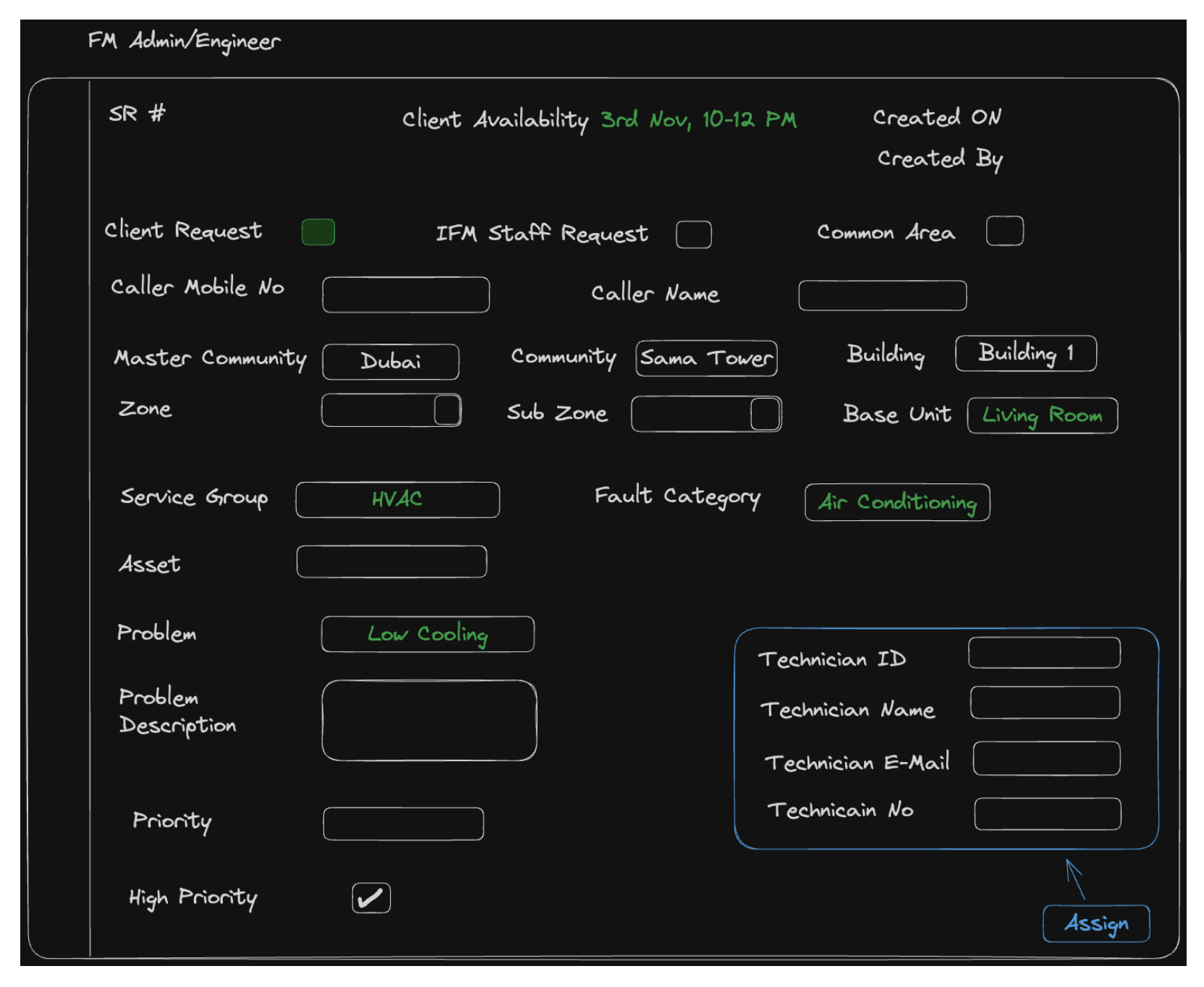
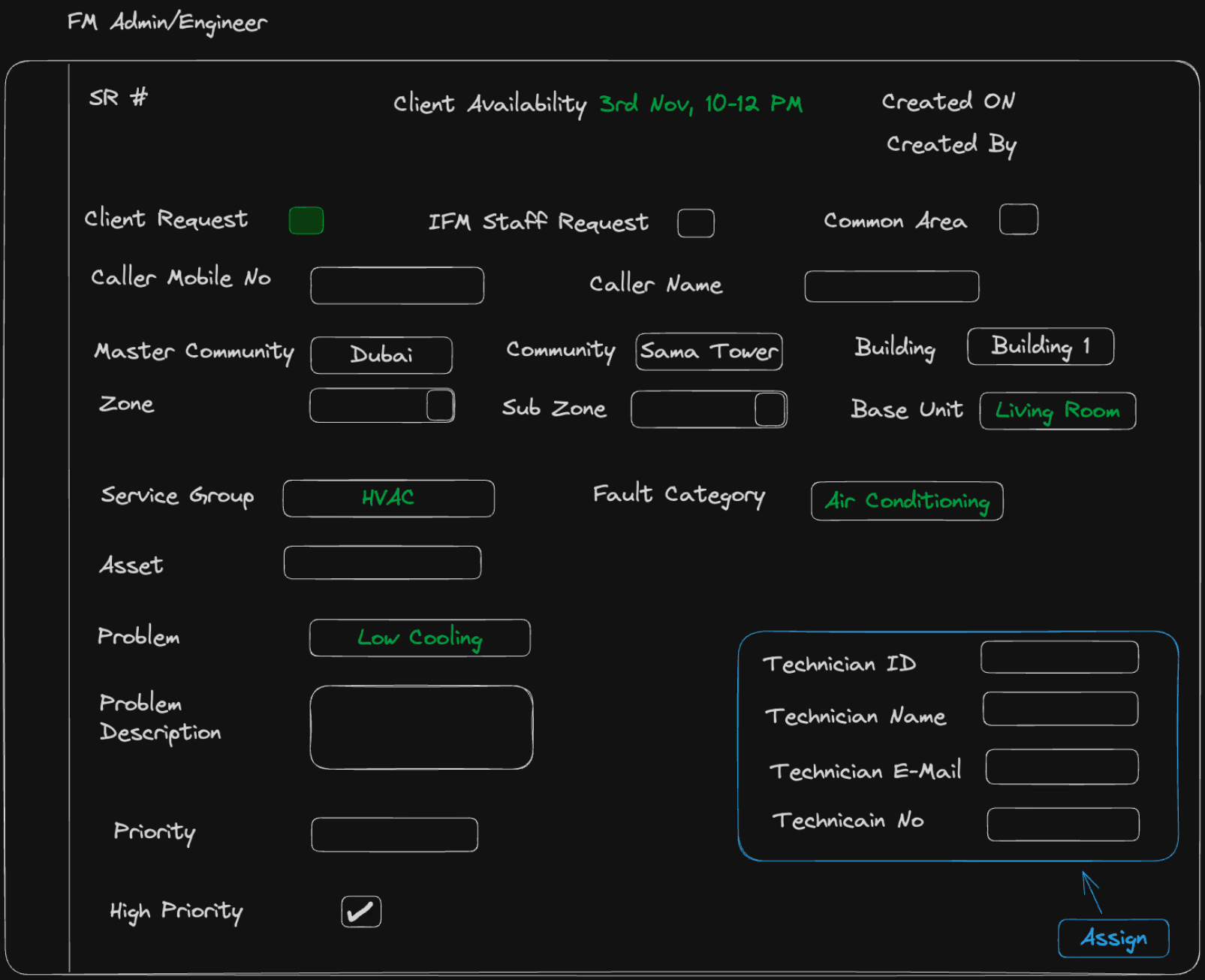
I interacted with the client to ensure the wireframes were meticulously crafted to capture their exact requirements for each screen. Given their experience with previous software and clear vision of their needs, this process aimed to gain a comprehensive understanding of the specific content they required. This interaction provided valuable insights into their preferences and objectives for viewing and addressing key issues.
Final Designs
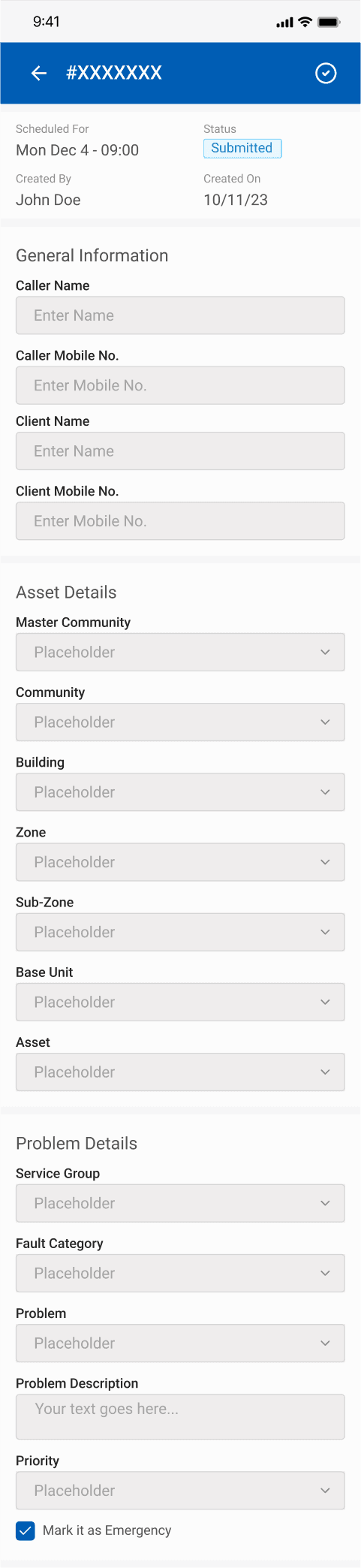
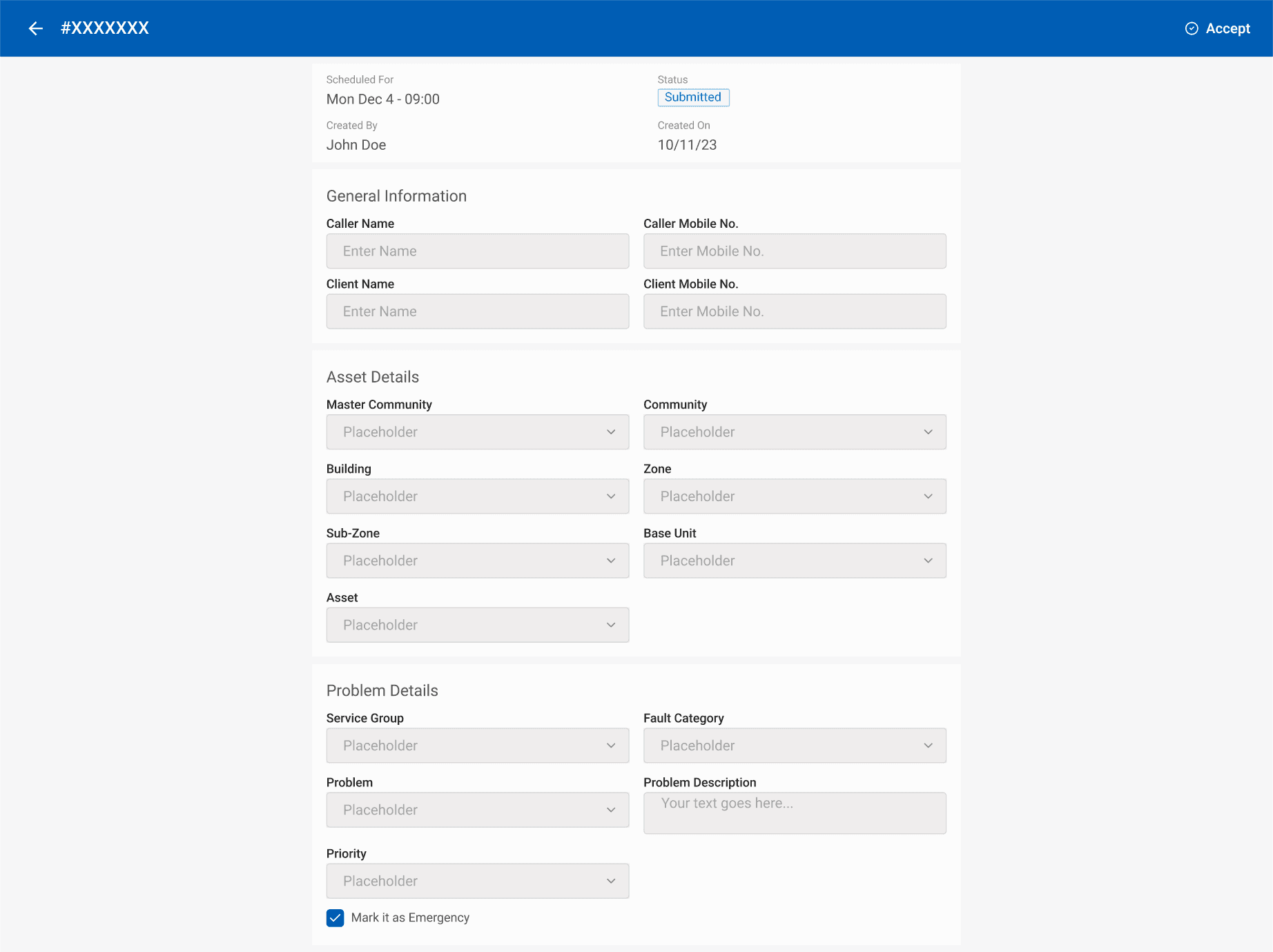
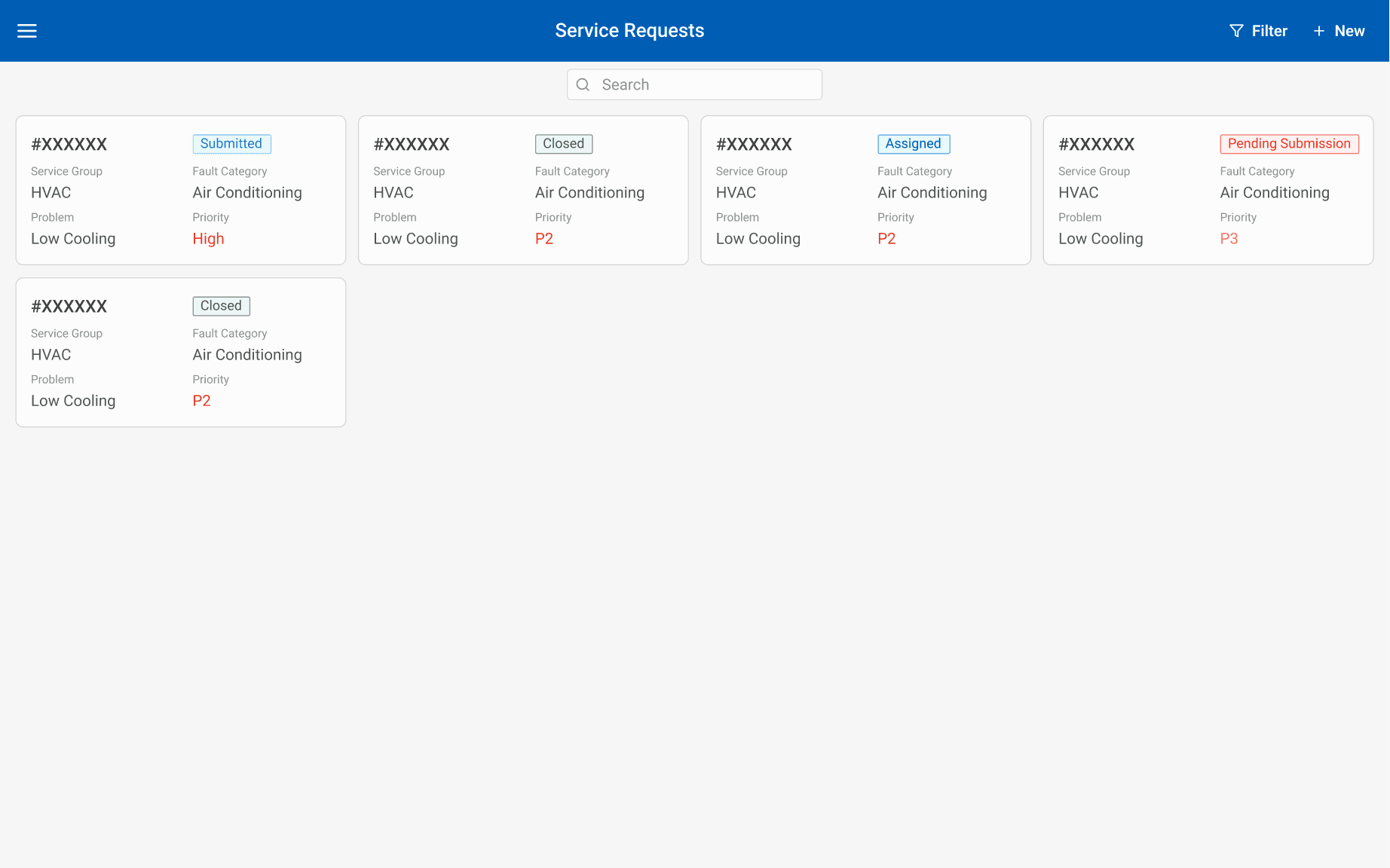
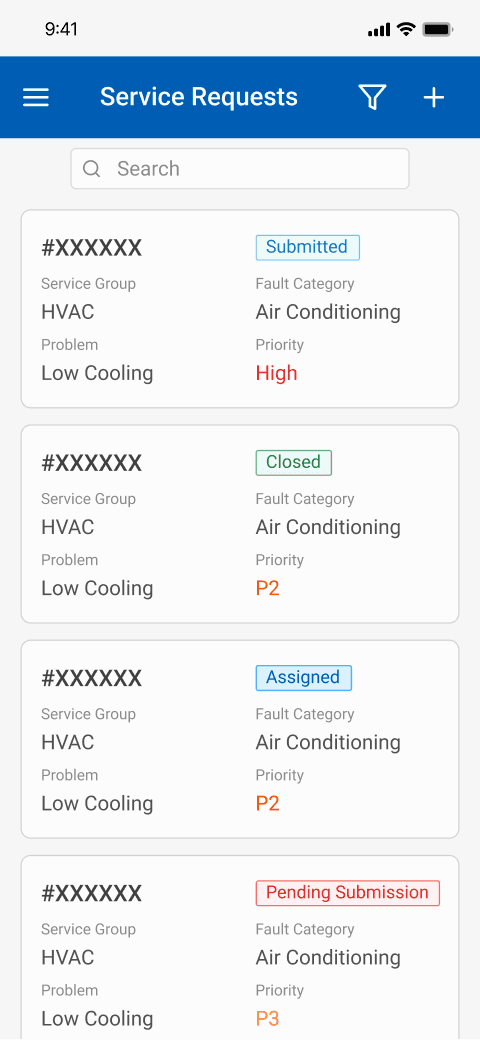
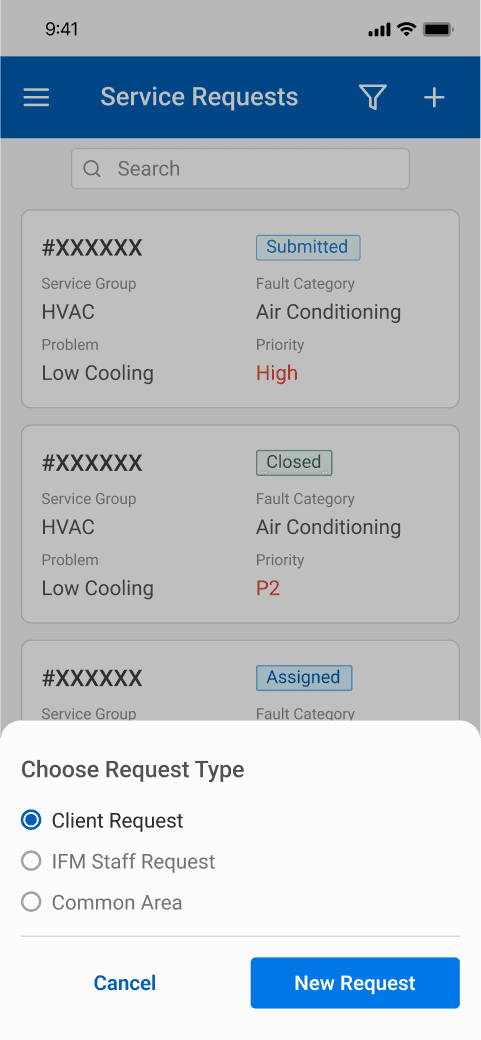
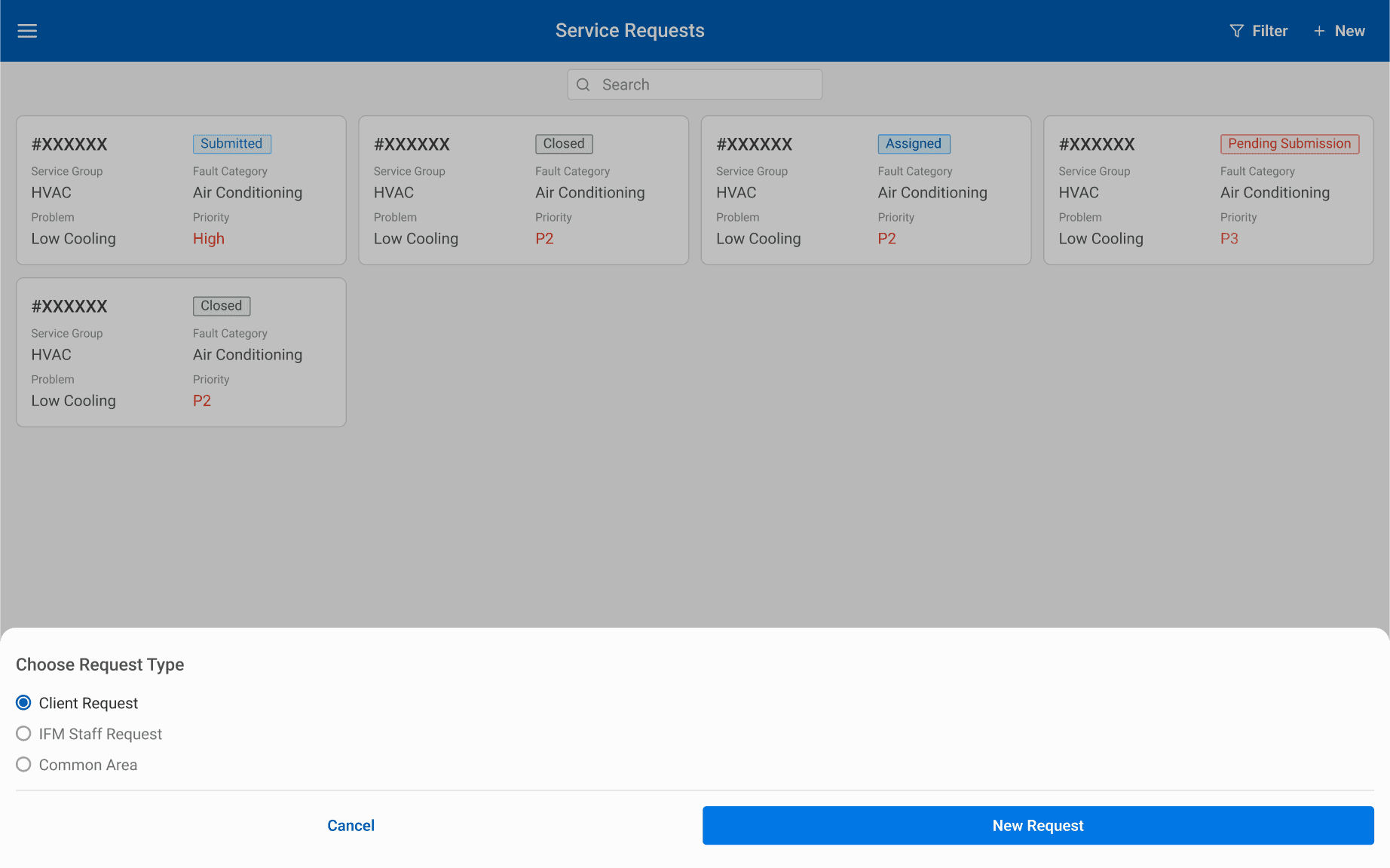
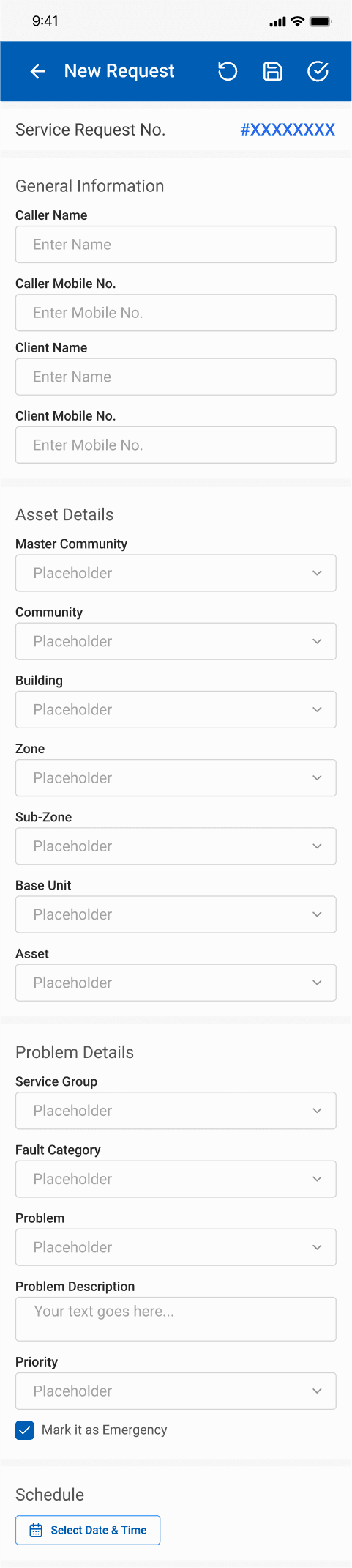
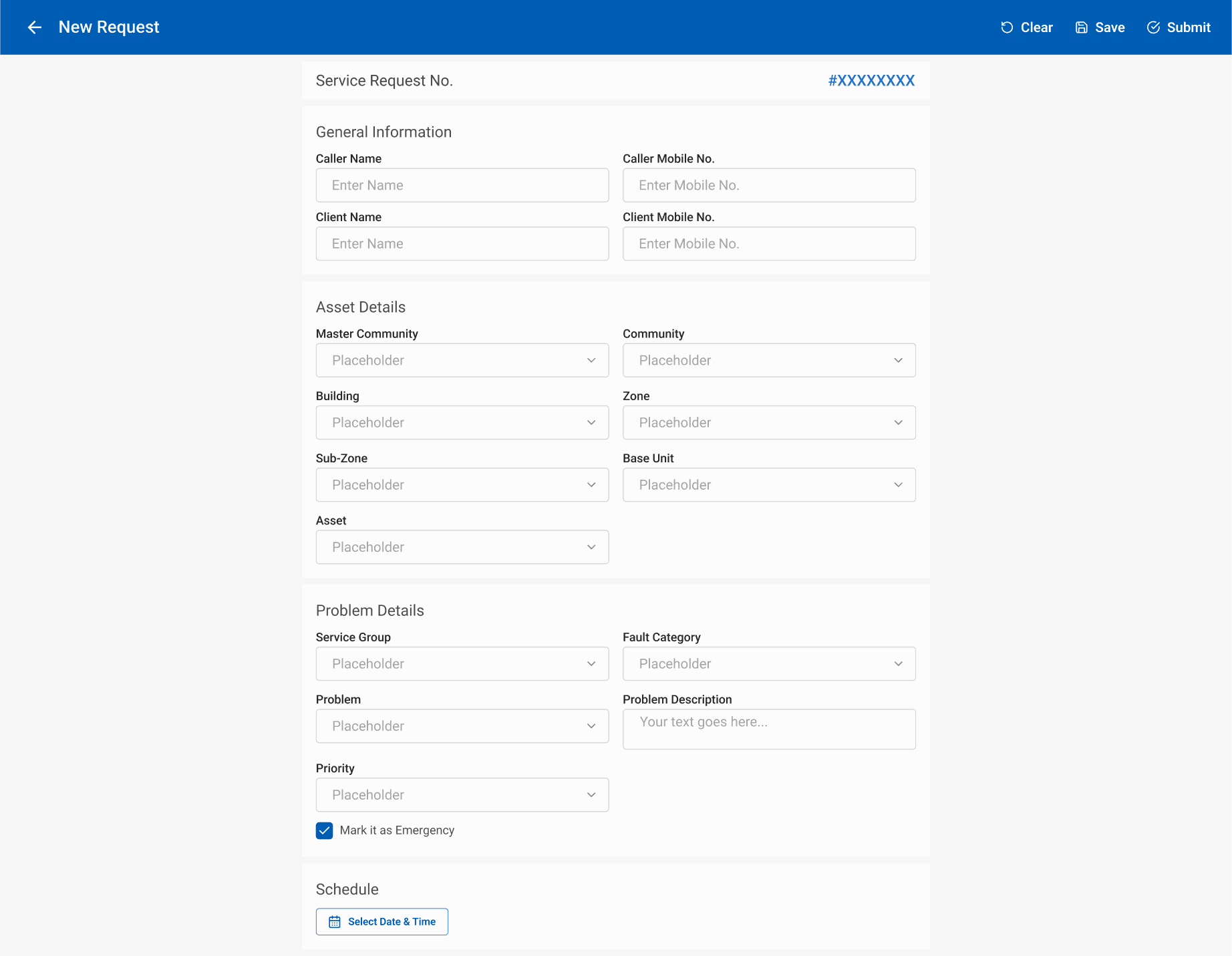
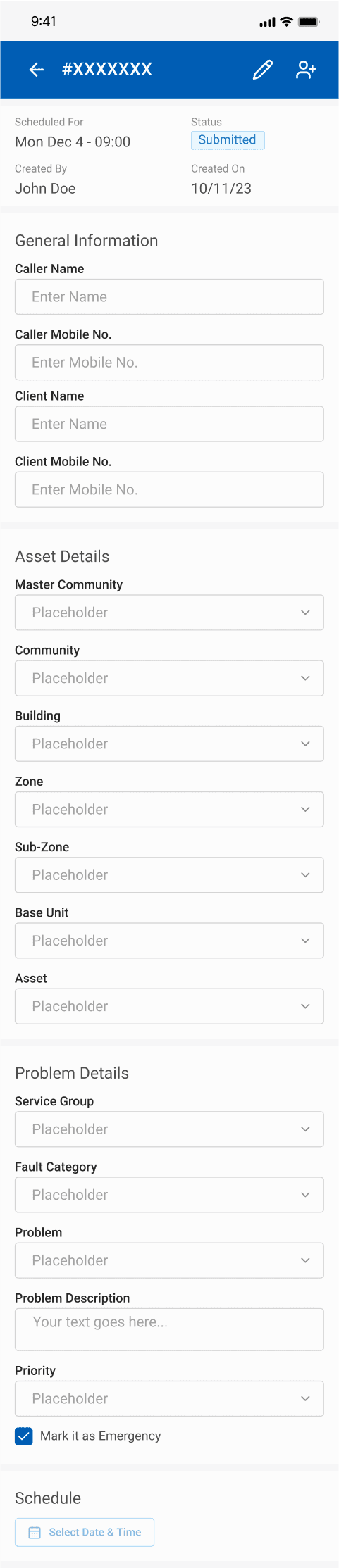
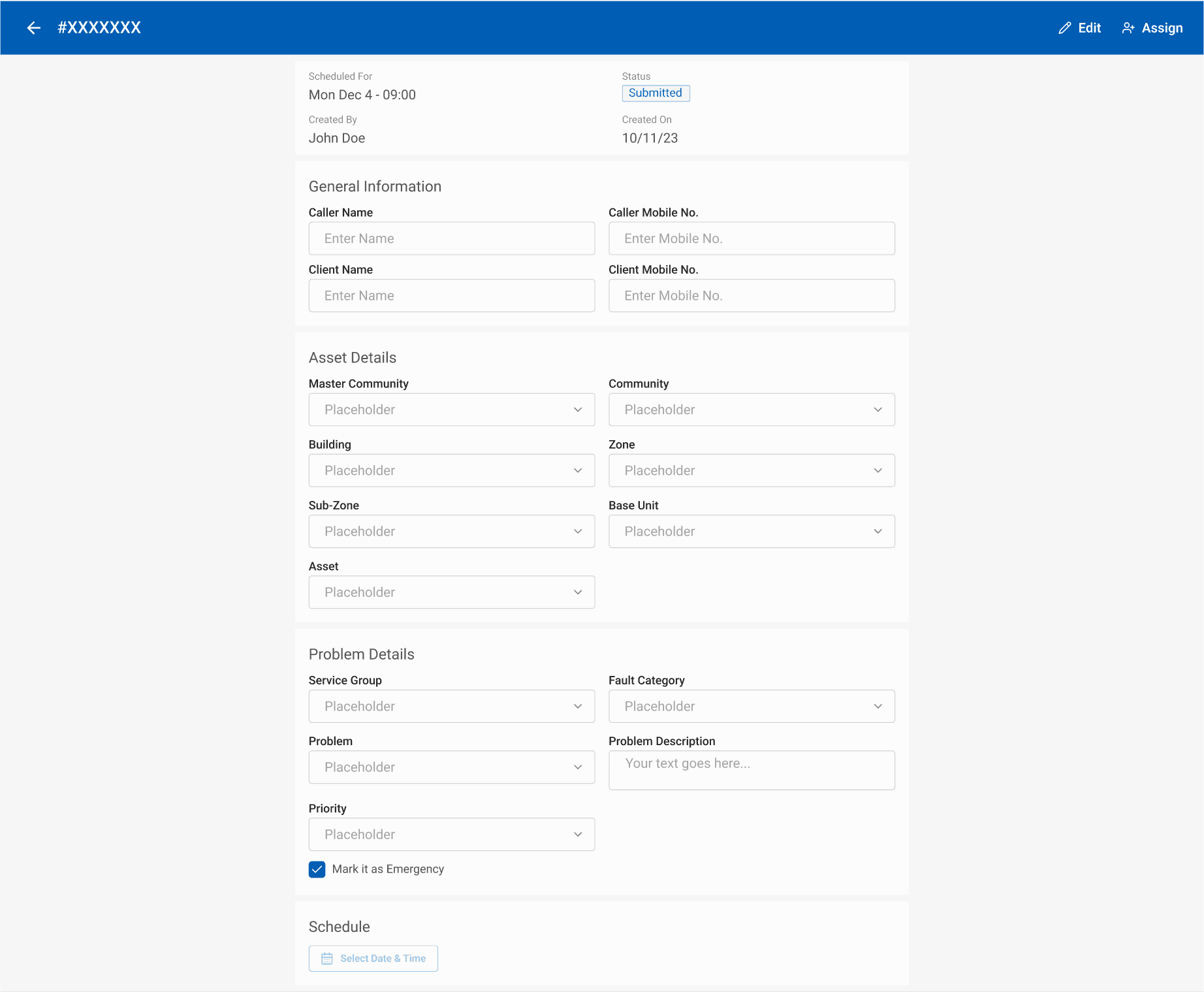
The design was developed with a focus on both the aforementioned wireframes and responsiveness. Adopting a mobile-first approach, considering the application's usage on desktop, tablet, or mobile devices, ensured a seamless user experience. Specific actionable buttons were incorporated based on user roles, defined within the platform's user management. Emphasizing simplicity and intuitiveness, the designs cater to users who are likely engaged in a primary task, treating service request submission as a secondary yet easily accessible function for issue resolution.
Call Agent View
Admin View
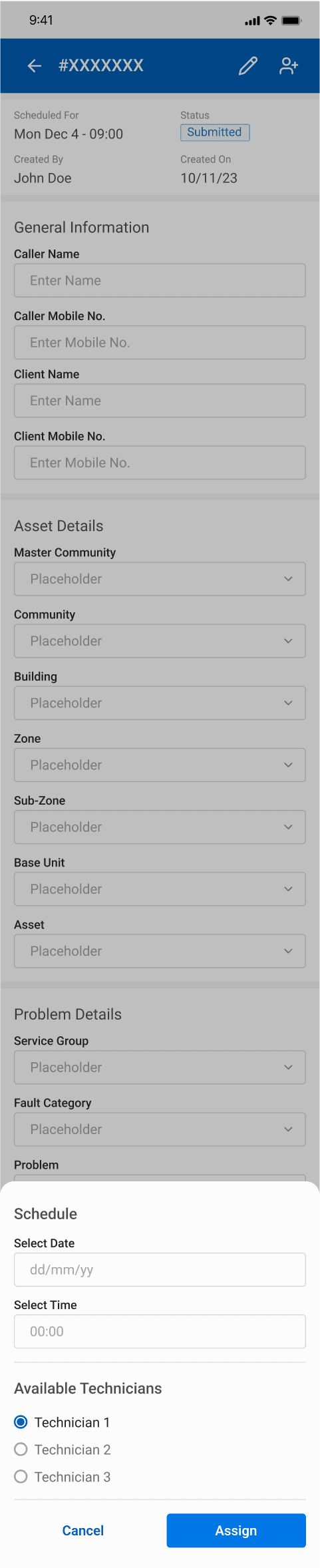
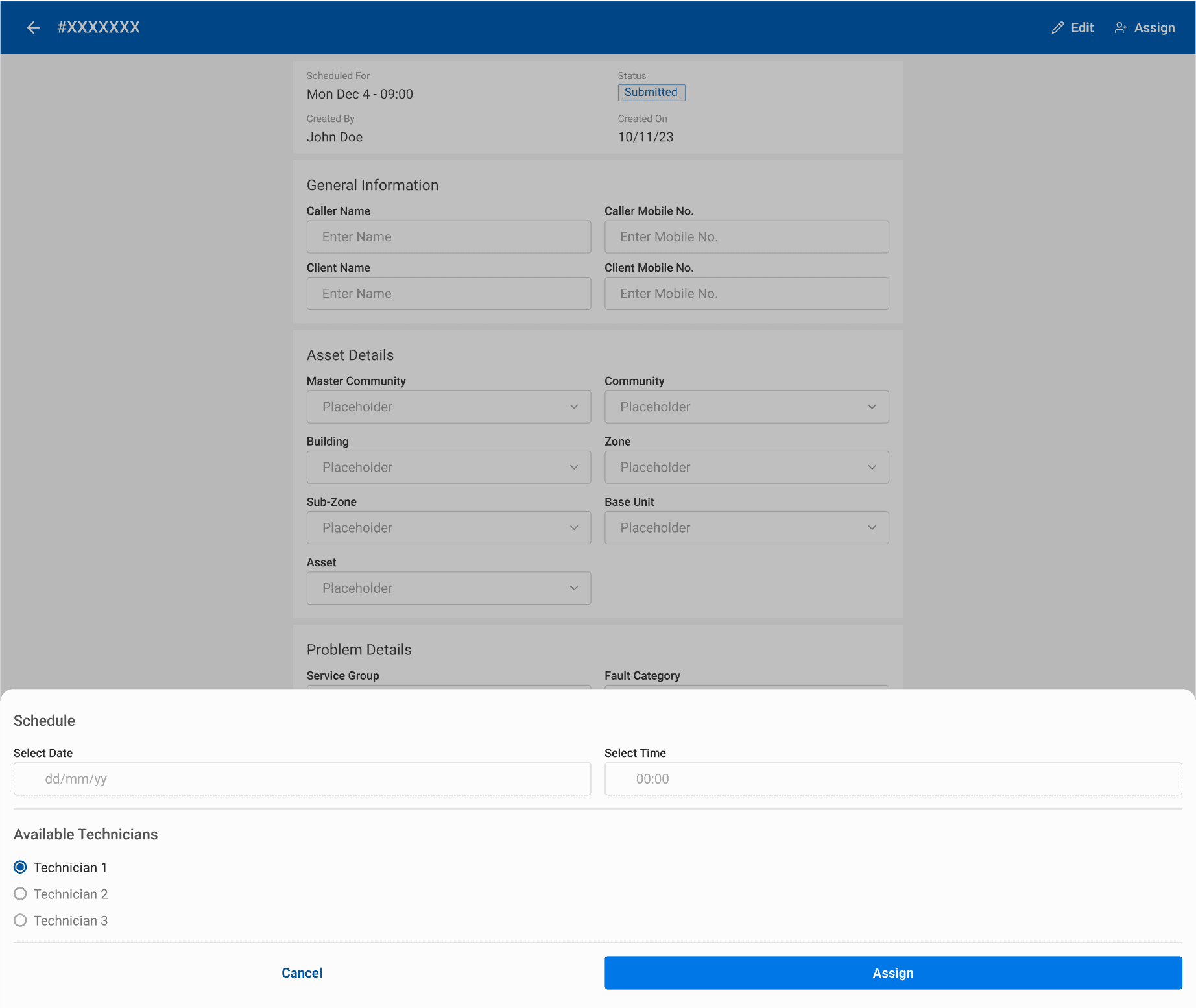
Technician View