BACK

User Management Redesign

User Management Redesign

User Management Redesign

About The Project

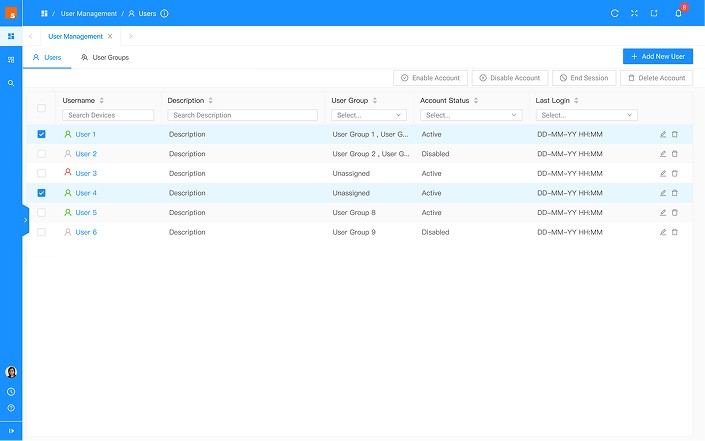
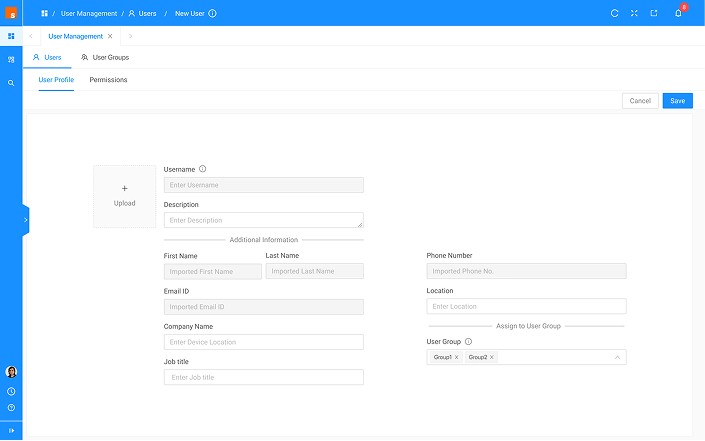
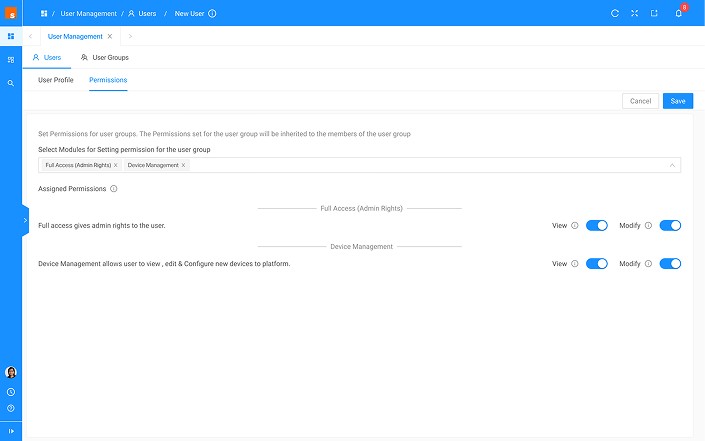
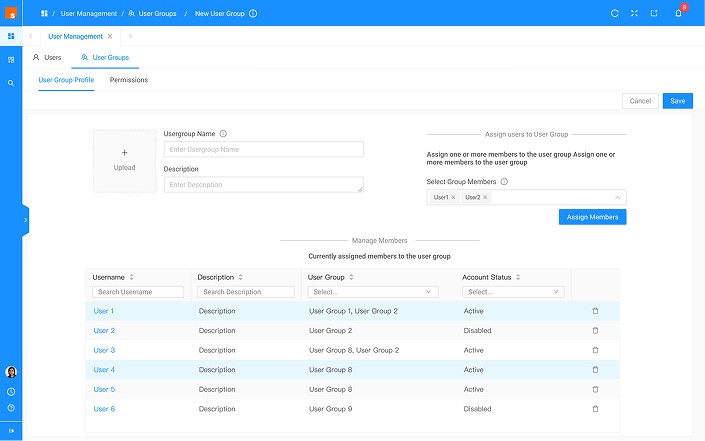
The User Management screens required a redesign because the existing interface was confusing and lacked uniformity. Users struggled to find the information they needed, and the overall experience was cluttered and inefficient. My goal was to create a cohesive design that presented all necessary information clearly, without causing information overload or distractions. I focused on organizing the content logically, using consistent visual elements, and ensuring that the interface was intuitive and user-friendly. This redesign aimed to enhance the user experience by making navigation seamless and interactions straightforward, ultimately improving the efficiency and satisfaction of users managing their accounts.

Target Audience

30-50 Years old

Duration

2 weeks

My Role

Research

Wireframe

Design System

Visual Design

Prototype

Tools

Figma

Figjam

Problem

⚠️

Poor User Experience: The confusing interface made it difficult for users to manage and access necessary information seamlessly.

Need for Streamlined Design: A redesign was essential to ensure that all relevant information was provided without causing information overload or distractions, making the experience seamless.

Major Impact

👩🏻‍💻

Improved User Experience: The redesigned screens provided a seamless and intuitive user experience, reducing confusion and increasing user satisfaction.

Improved User Experience: The redesigned screens provided a seamless and intuitive user experience, reducing confusion and increasing user satisfaction.

Enhanced Efficiency: Users could manage and access information more efficiently, thanks to the clear information hierarchy and user-centric design.

Enhanced Efficiency: Users could manage and access information more efficiently, thanks to the clear information hierarchy and user-centric design.

Reduced Information Overload: By organizing information effectively and minimizing distractions, the redesign helped users focus on the most important tasks, enhancing productivity and user engagement.

Reduced Information Overload: By organizing information effectively and minimizing distractions, the redesign helped users focus on the most important tasks, enhancing productivity and user engagement.

Consistency and Uniformity: The consistent design elements contributed to a more coherent and professional interface, improving the overall aesthetic and usability.

Consistency and Uniformity: The consistent design elements contributed to a more coherent and professional interface, improving the overall aesthetic and usability.

Key Learnings

💪🏼

Importance of Consistency: Consistent design elements are crucial for creating a cohesive and intuitive user experience.

Importance of Consistency: Consistent design elements are crucial for creating a cohesive and intuitive user experience.

Effective Information Hierarchy: Organizing information in a clear hierarchy helps prevent information overload and enhances usability.

Effective Information Hierarchy: Organizing information in a clear hierarchy helps prevent information overload and enhances usability.

Collaboration and Feedback: Working closely with users and stakeholders to gather feedback is vital in identifying pain points and iterating on designs effectively.

Collaboration and Feedback: Working closely with users and stakeholders to gather feedback is vital in identifying pain points and iterating on designs effectively.

Role of Graphical Visuals: Utilizing graphical visuals effectively enhances understanding and engagement, making complex information more accessible and actionable.

Role of Graphical Visuals: Utilizing graphical visuals effectively enhances understanding and engagement, making complex information more accessible and actionable.

Solution

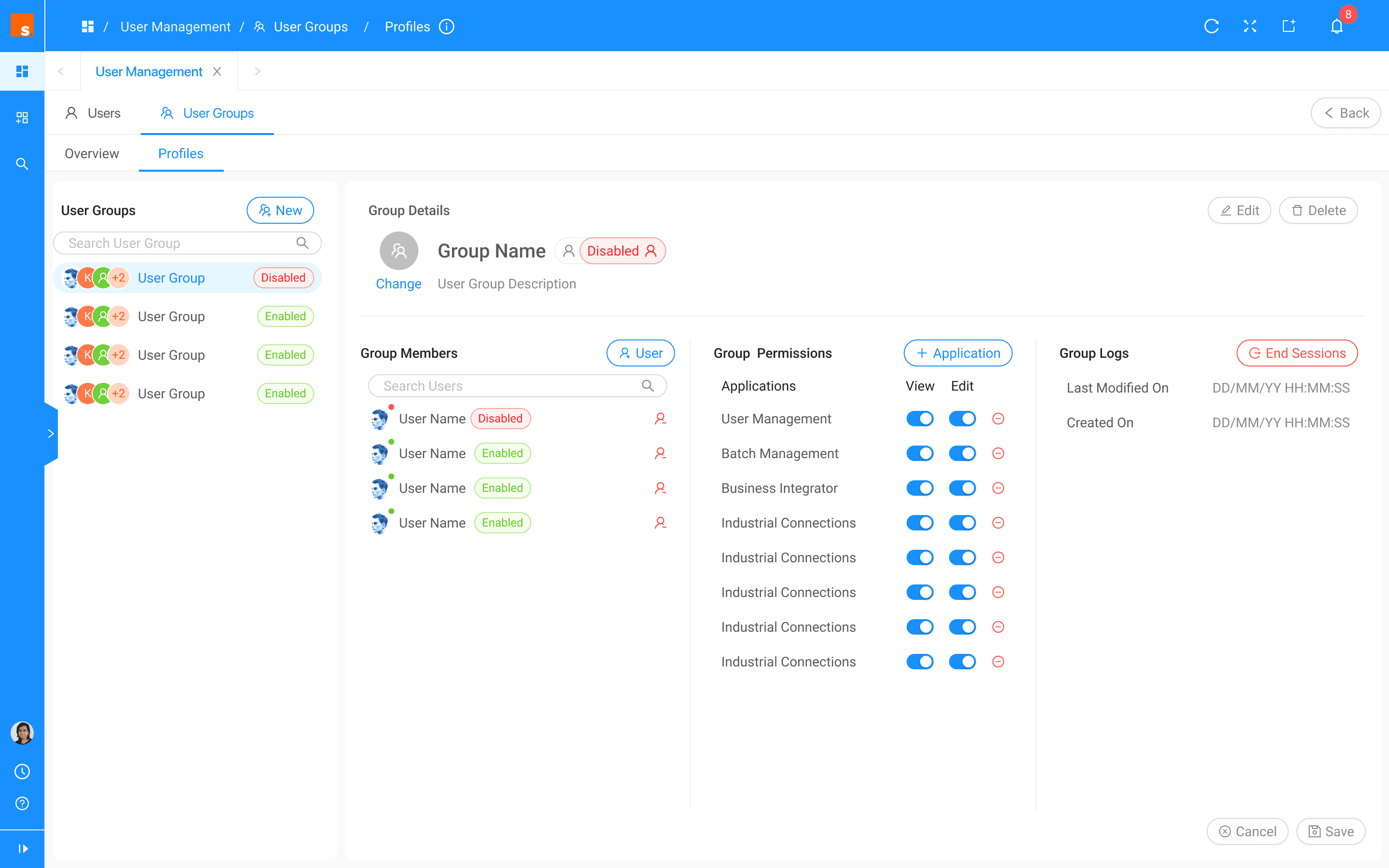
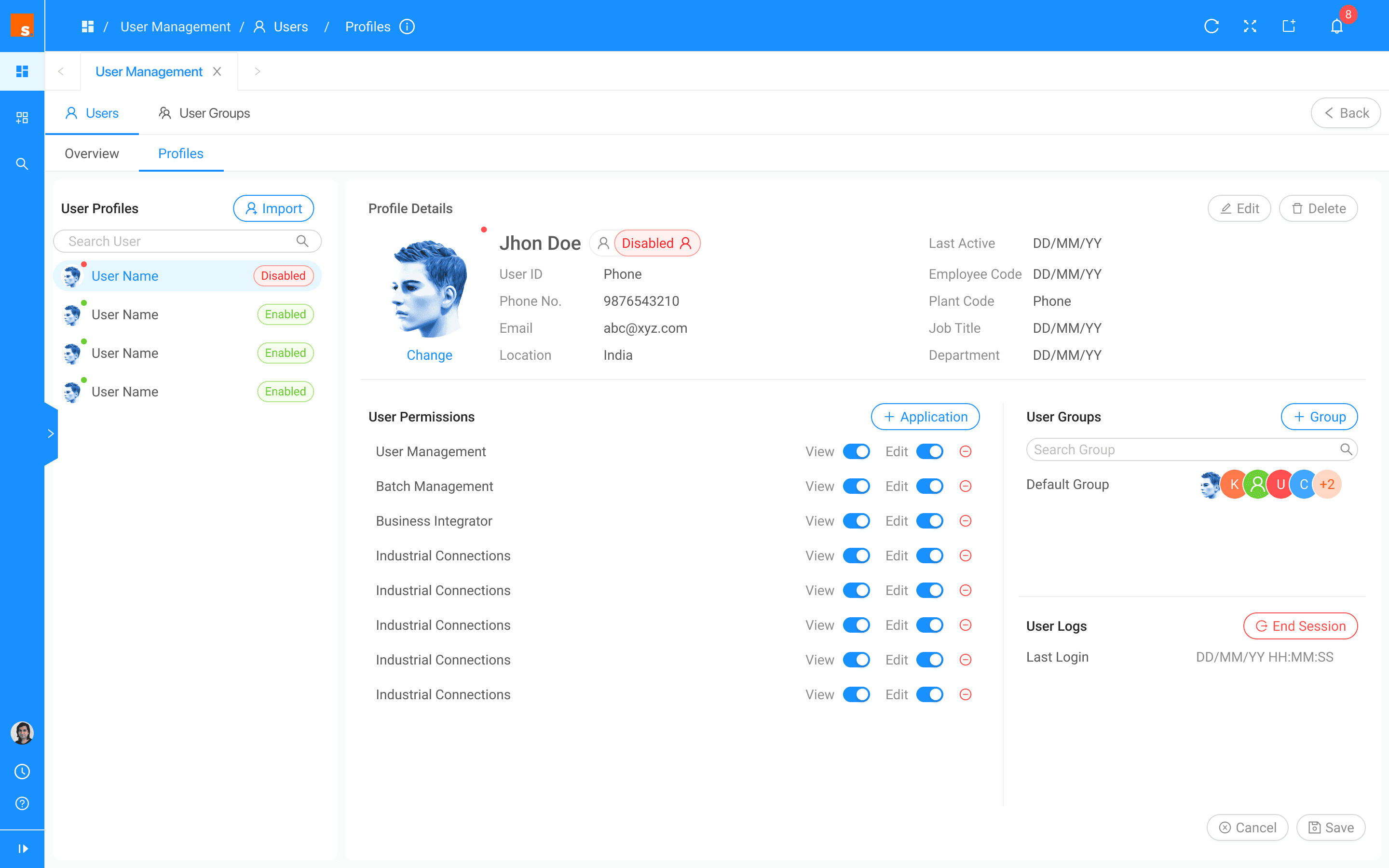
Consistent Design: The redesigned screens featured a consistent and uniform layout, enhancing the overall coherence and usability.

Consistent Design: The redesigned screens featured a consistent and uniform layout, enhancing the overall coherence and usability.

Information Hierarchy: By implementing a clear information hierarchy, the redesign ensured that users could easily find and process the most important information without feeling overwhelmed.

Information Hierarchy: By implementing a clear information hierarchy, the redesign ensured that users could easily find and process the most important information without feeling overwhelmed.

User-Centric Interface: The new design focused on user needs, providing intuitive navigation and a streamlined experience that minimised distractions.

User-Centric Interface: The new design focused on user needs, providing intuitive navigation and a streamlined experience that minimised distractions.

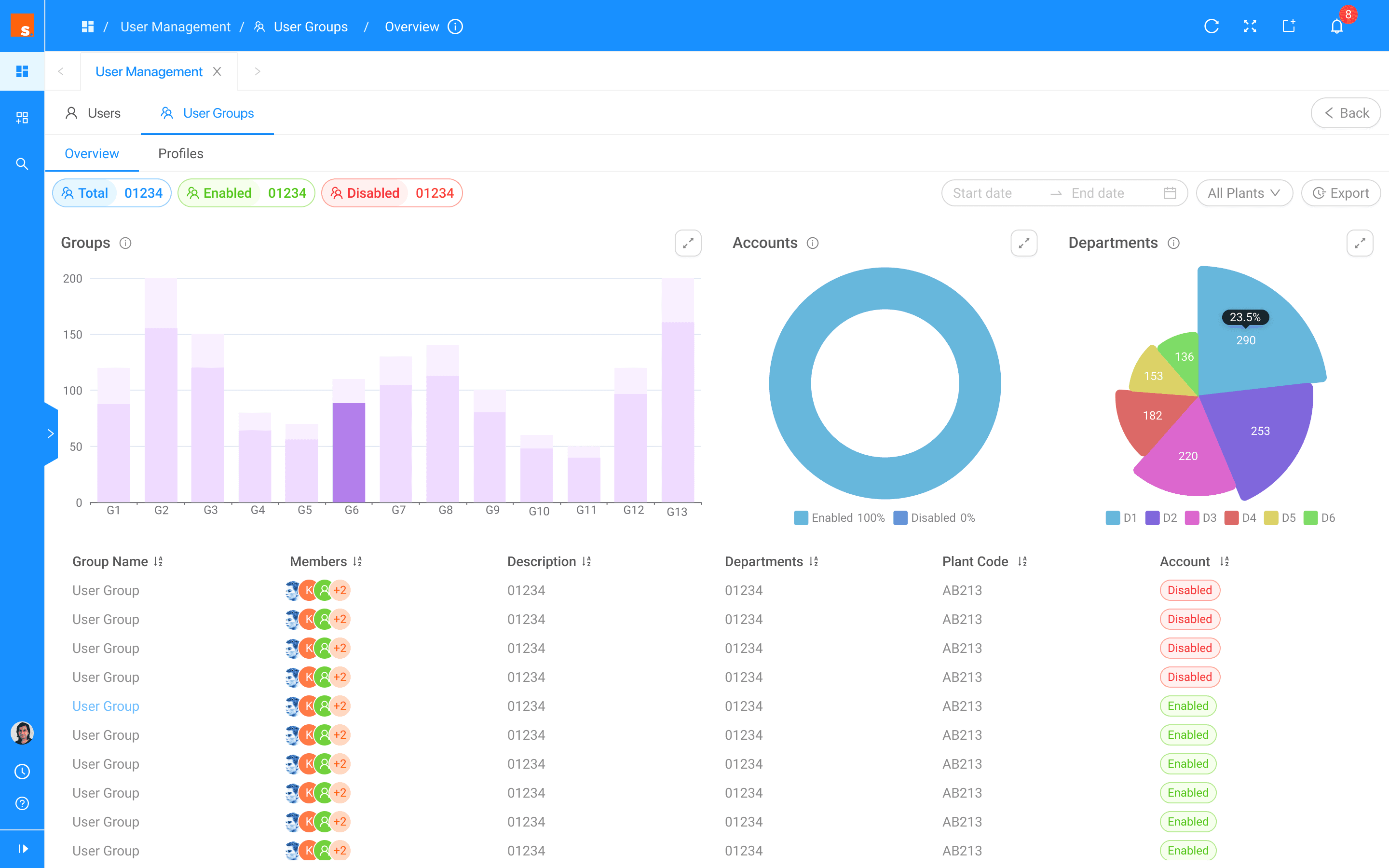
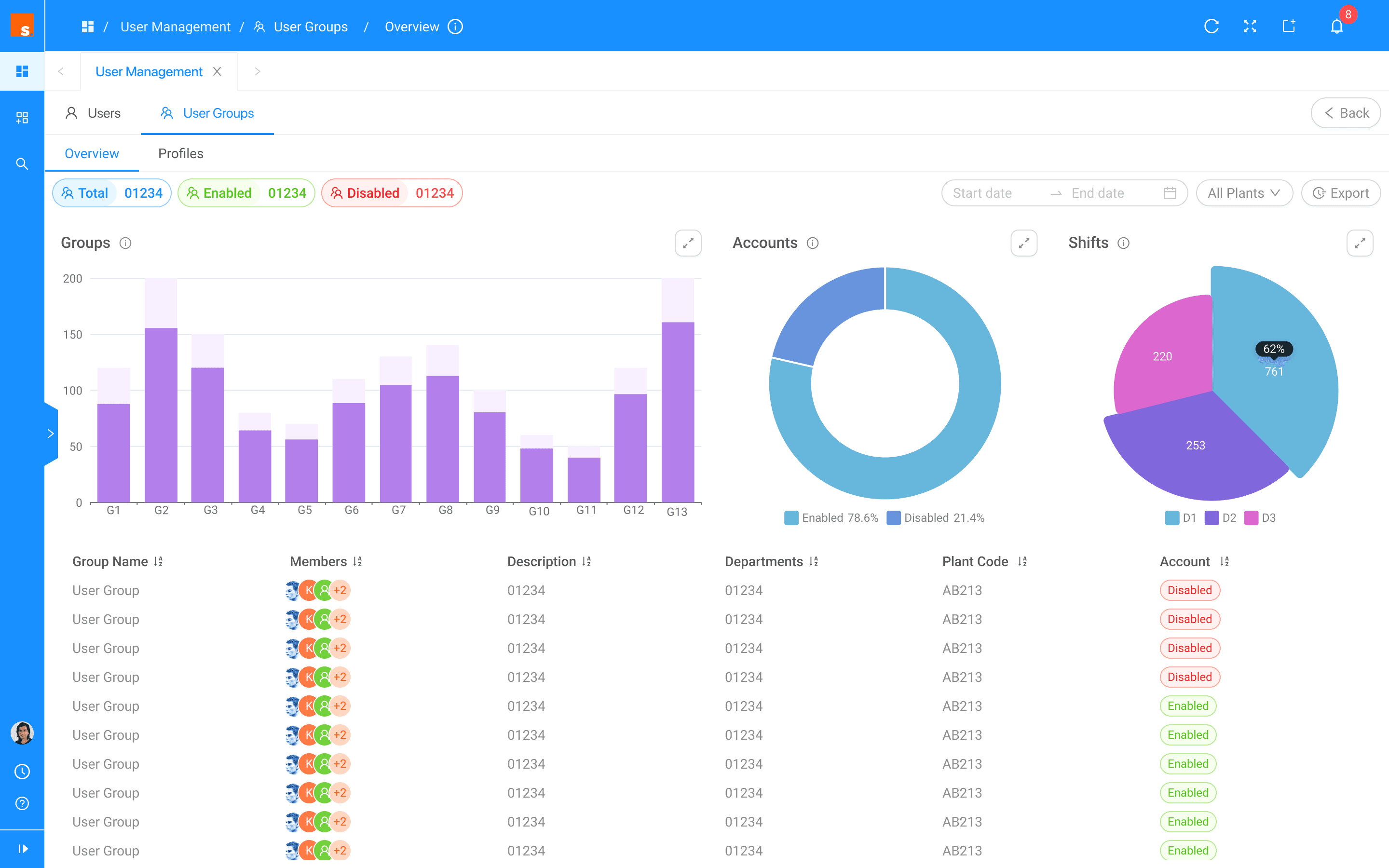
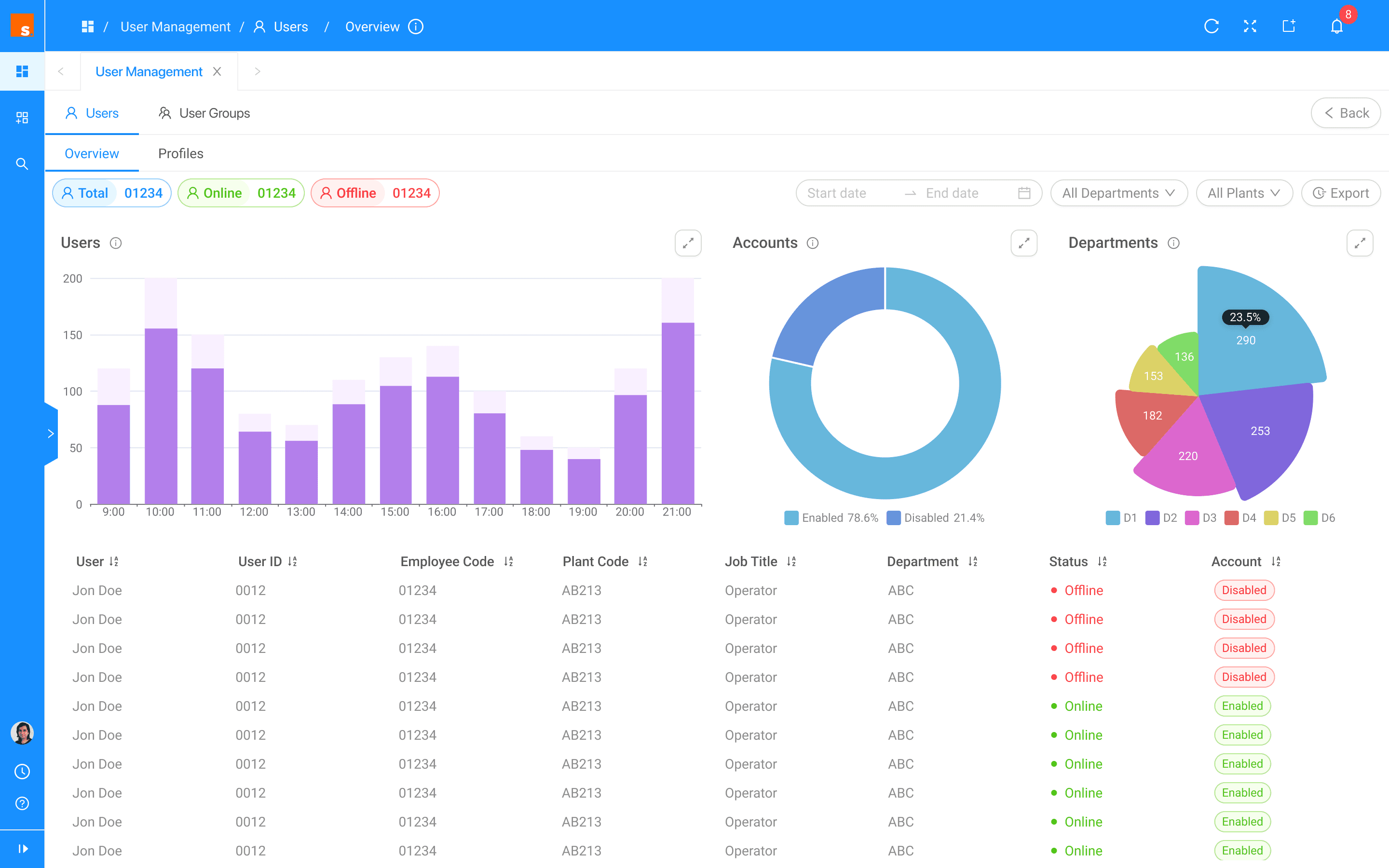
Graphical Dashboard Enhancements: Implemented graphs on the overview screen to provide quick insights into group activities and user engagement.

Graphical Dashboard Enhancements: Implemented graphs on the overview screen to provide quick insights into group activities and user engagement.

Redesigned Screens

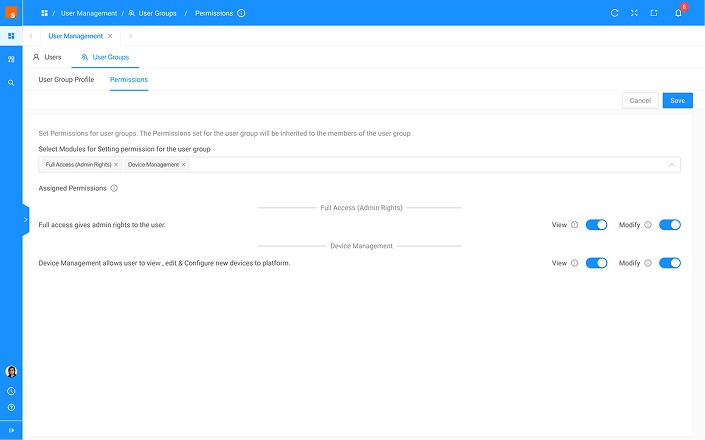
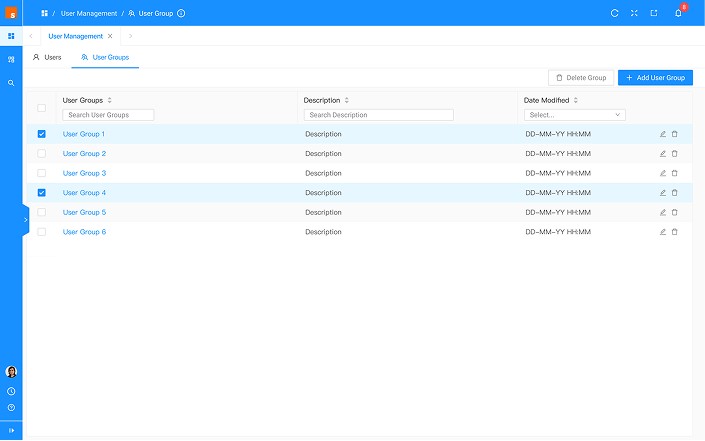
Older Designs
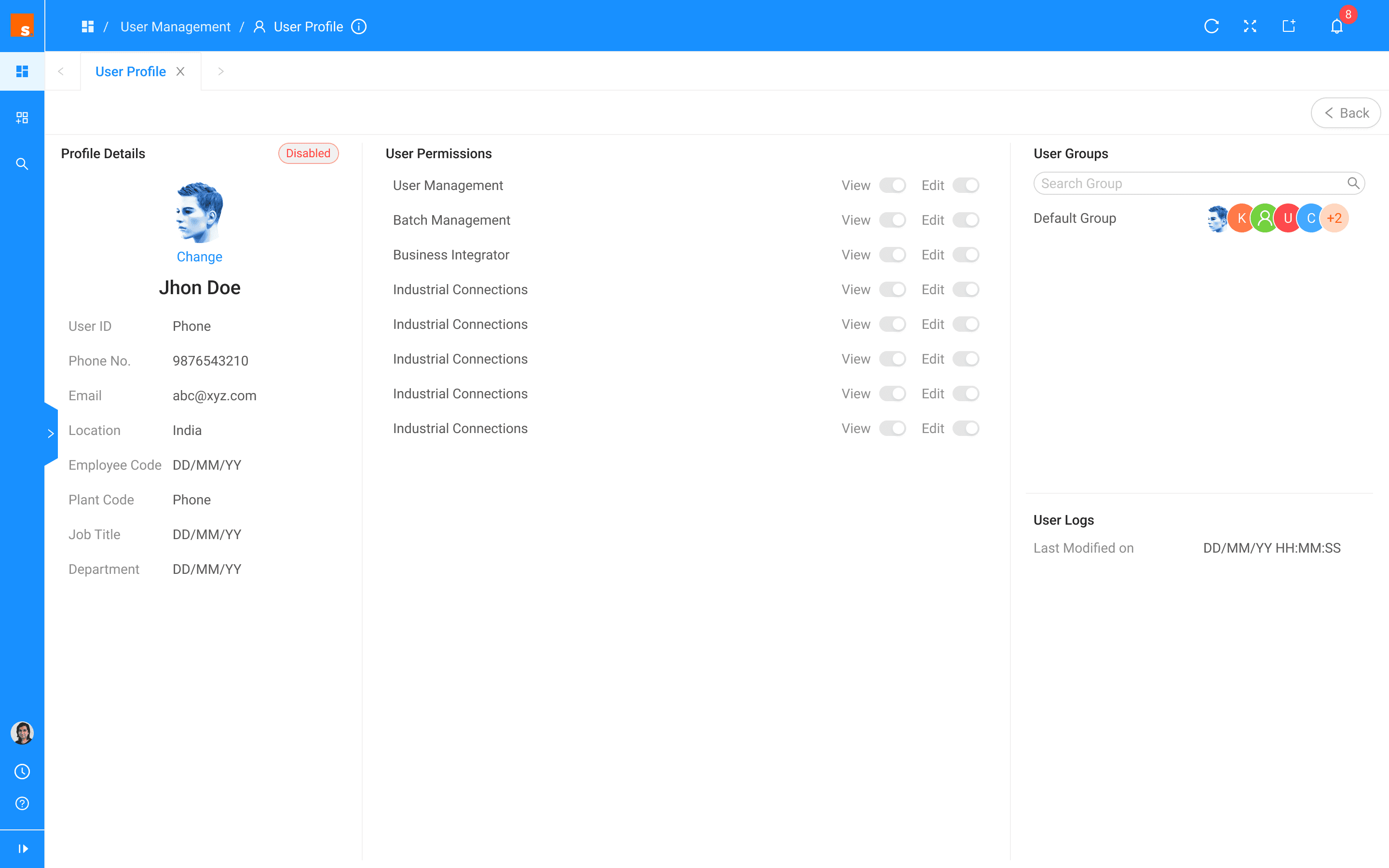
New Designs
Create a free website with Framer, the website builder loved by startups, designers and agencies.